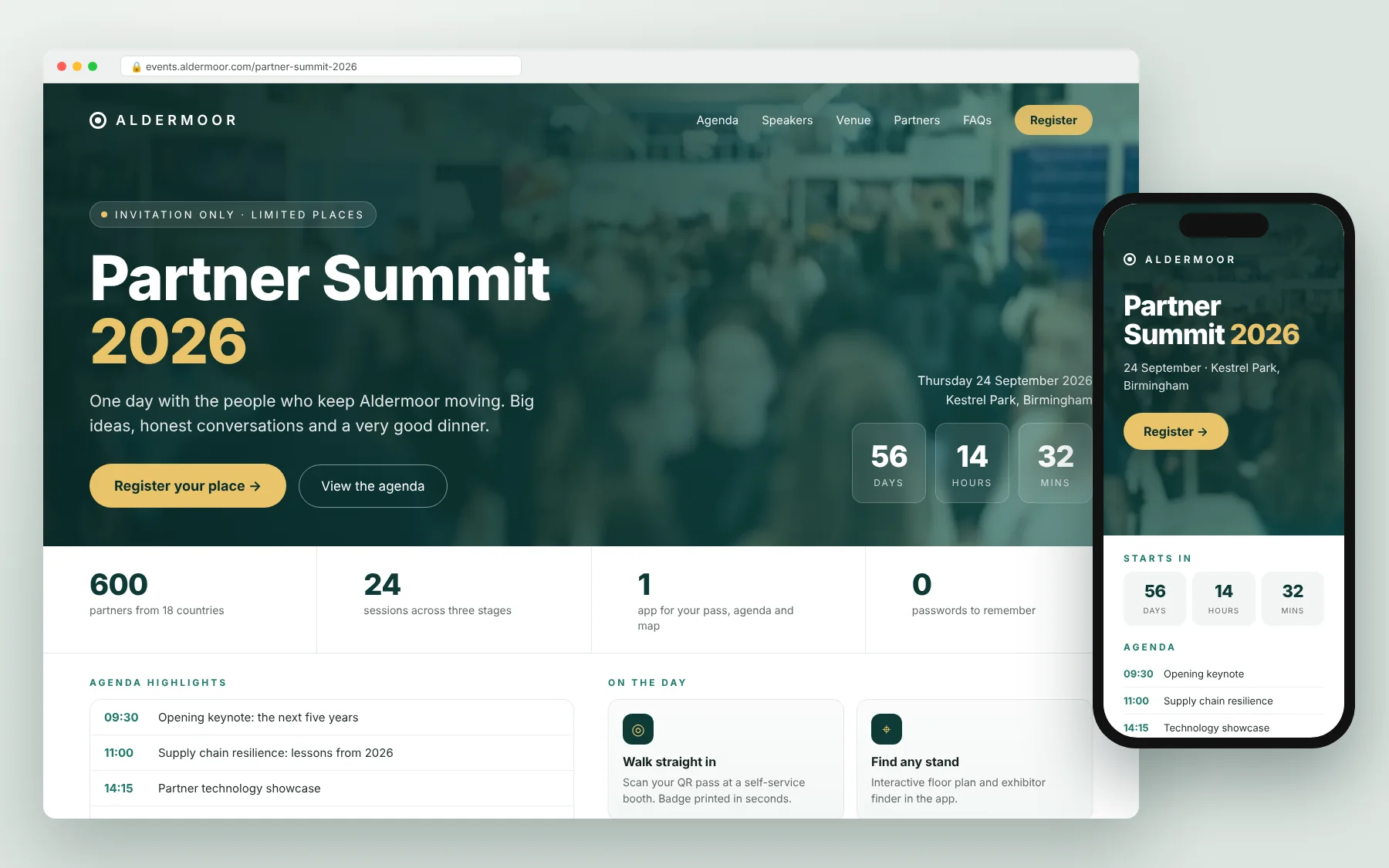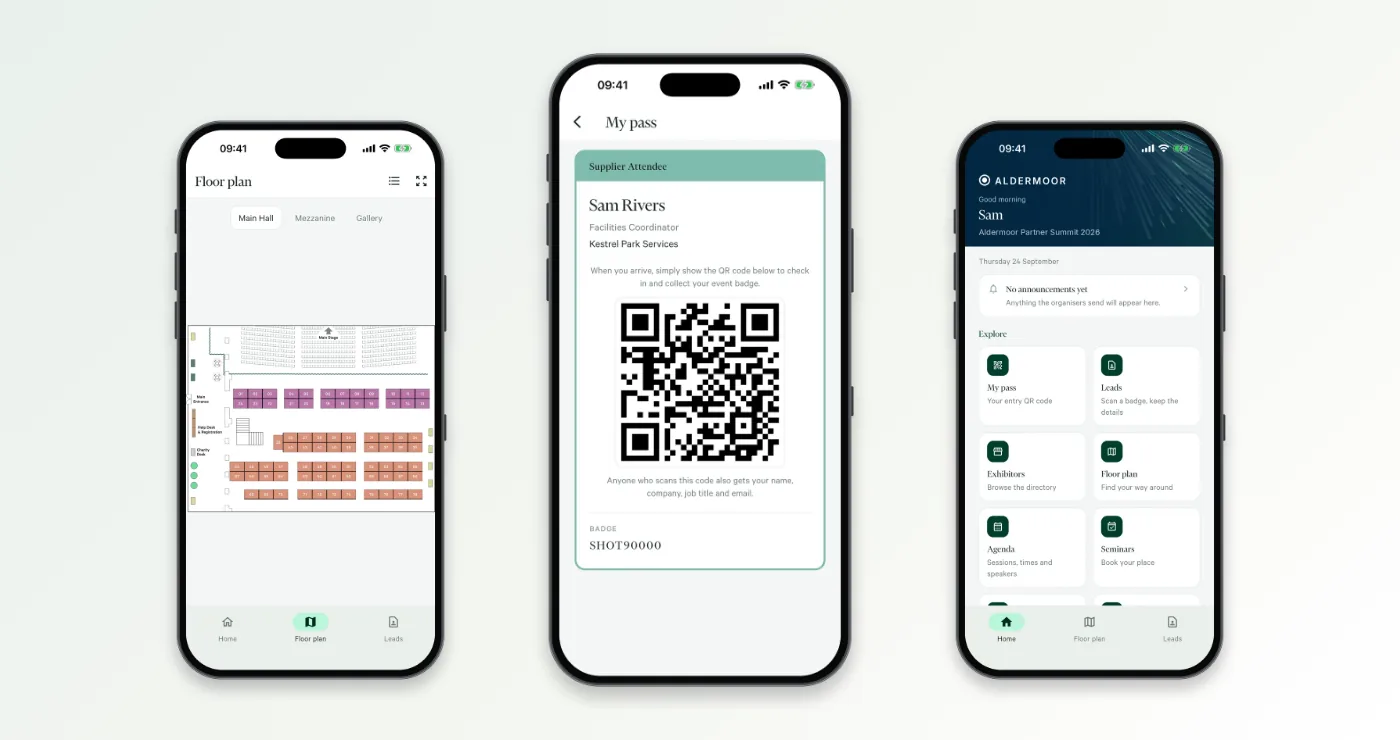
Someone in the meeting says "we want our own app". Everyone nods. Six weeks later you are looking at an app that has your logo on the splash screen, someone else's name in the App Store, a list of features nobody will use, and a check-in desk that runs on a different system entirely.
"White label" sounds like a single feature. In practice it covers anything from "we let you upload a logo" to "the app is published under your own name and nobody would ever know who built it". Both get sold with the same two words, so the useful thing is to know what to ask. Here are the seven questions we would ask if we were buying, whether you run one flagship conference a year or a programme of events for clients across several countries.
1. What exactly carries our brand, and what doesn't?
Ask for a list, not a demo of the nicest screen. Where does the supplier's name still appear? Typical places it creeps in:
- the app's name and icon on the attendee's phone
- the developer name on the App Store and Google Play listing
- login screens, emails and push notifications
- the web address of the registration pages that feed the app
- the "powered by" line at the bottom of everything
None of these is necessarily a deal-breaker. If you are an agency running events for clients, though, your client is going to notice another company's name before they notice the agenda.
2. One app per event, or one app with lots of events inside it?
This is the "white label versus container app" question, and it affects more than branding.
- A separate app per event (or per client) looks the most "theirs", but each one has to be built, submitted to the app stores and approved. That takes time you need to plan for, especially near a launch date.
- A single branded app that holds several events means attendees download once and use it all year. That suits companies with a programme of events and agencies with repeat clients.
Neither is right for everyone. What matters is that the supplier tells you which one you are getting, who publishes it, and how far in advance they need your content to hit your event date.
3. Who changes the content at 7.45am?
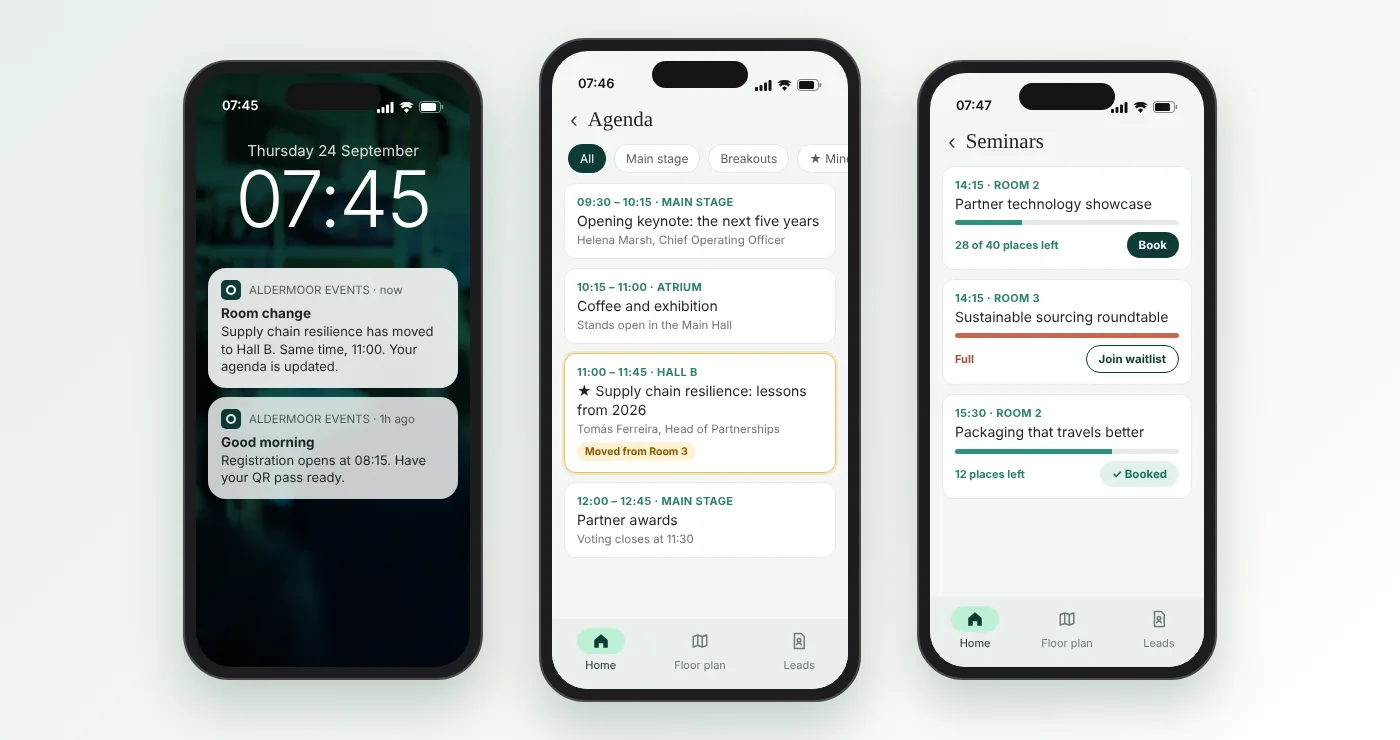
The agenda will change. A speaker will get stuck on the motorway, a room will flood, a session will be moved to the bigger hall because it is oversubscribed. The question is whether your team can make that change themselves, there and then, or whether it means an email to the supplier and a hopeful wait.
Ask to see the content management screen, and ask someone who isn't technical to make a change while you watch. If an update needs a developer, a ticket or a new app build, you will find out at the worst possible moment.
4. Is the app connected to registration, or does someone upload a spreadsheet the night before?
This is the question that saves most pain, and it is the one most often skipped.
If the app is a separate system, someone has to export attendees, sessions, speakers and exhibitors from registration and import them into the app. Then someone registers late, a speaker changes their title, an exhibitor pulls out, and the two systems drift apart. On the day, the app says one thing and the badges say another.
Ask: when someone registers at 11pm the night before, does their pass appear in the app without anyone doing anything? When we change a session in one place, does it change everywhere?
5. What happens at the front door?
An app is only half the onsite story. Attendees still have to get in, and the queue at 8.55am is where first impressions are made.
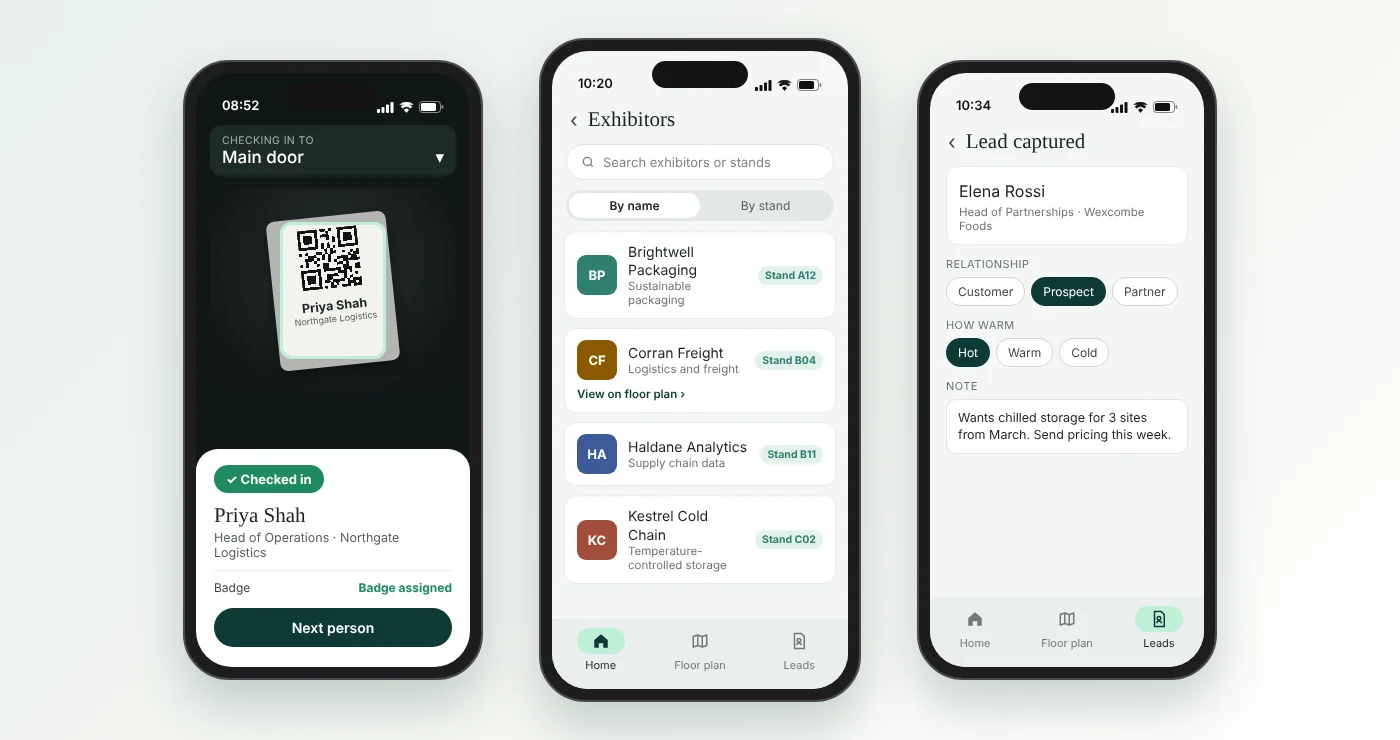
Ask whether the attendee's QR pass in the app works with the check-in kit, whether there are self-service booths for people who just want their badge, and whether the staffed desk works from the same live list. If check-in is a separate product, ask how the "who actually turned up" data gets back to you, and how long that takes.
6. Can exhibitors and sponsors capture leads in it?
If you have exhibitors or sponsors, their first question after the event is "what did we get for our money?". If the answer is a pile of business cards, they will think twice about coming back.
Ask whether exhibitors can scan badges in the app, add notes, and mark how warm each lead is. Then ask where those leads go: straight to the exhibitor, into your reporting, or both. Leads sitting in a separate system that nobody exports are no use to anyone.
7. Where does the data end up, and can we see it in one place?
Registration numbers, attendance, session bookings, app use and leads are what you need to answer "did the event work?". If they live in four systems, someone spends the following week merging exports, and the answer arrives after everyone has stopped asking.
Ask for an example report that shows registration, attendance and engagement together. Ask whether you can break it down by company, audience or ticket type, not just a headline percentage. And ask the basics: where the data is held, who owns it, and how you get it back if you ever leave.
A word on features
Every app has a long features list, and these days most of it has "AI" somewhere near the front. Before you pay for a feature, ask who will actually use it. Most attendees open an event app to find their pass, check what is on next, find a room and see where the coffee is. We wrote about this recently in Your event app has AI matchmaking. Your guest just wants their pass.
And if you are still deciding whether you need an app at all, start with Do you need a native event app, and what are the alternatives?
A quick checklist to take into the demo
- List every place the supplier's name still appears.
- One app per event, or one app for all our events? Who publishes it, and how much notice do they need?
- Can a non-technical person change the agenda in under a minute?
- Does a late registration appear in the app automatically?
- Do the QR passes in the app work with the check-in booths and the staffed desk?
- Can exhibitors scan, note and score leads, and where do those leads go?
- Can we see registration, attendance, app use and leads in one report?
How Mitingu helps
Mitingu's white-label attendee app for iOS and Android carries your brand or your client's, and it runs on the same platform as your registration, event emails, self-service and staffed check-in, lead capture and reporting. The app has its own content management system connected to Mitingu, so your team can move a session or send an announcement themselves, and late registrations, check-ins and leads all land on the same attendee record. Mitingu is built and supported in the UK and works with event teams and agencies wherever their events are. On the App Store, the app is published under Mitingu's own developer account, so there is no Apple developer account for you to set up or look after. If you'd like to see how it would work for your events, book a demo.